Skip to content
Home Smart Cloud

One platform, from the meter to the invoice

Home Smart Cloud turns raw pulses from metering hardware into billing-ready reports, with a role-based dashboard for every participant in the chain.
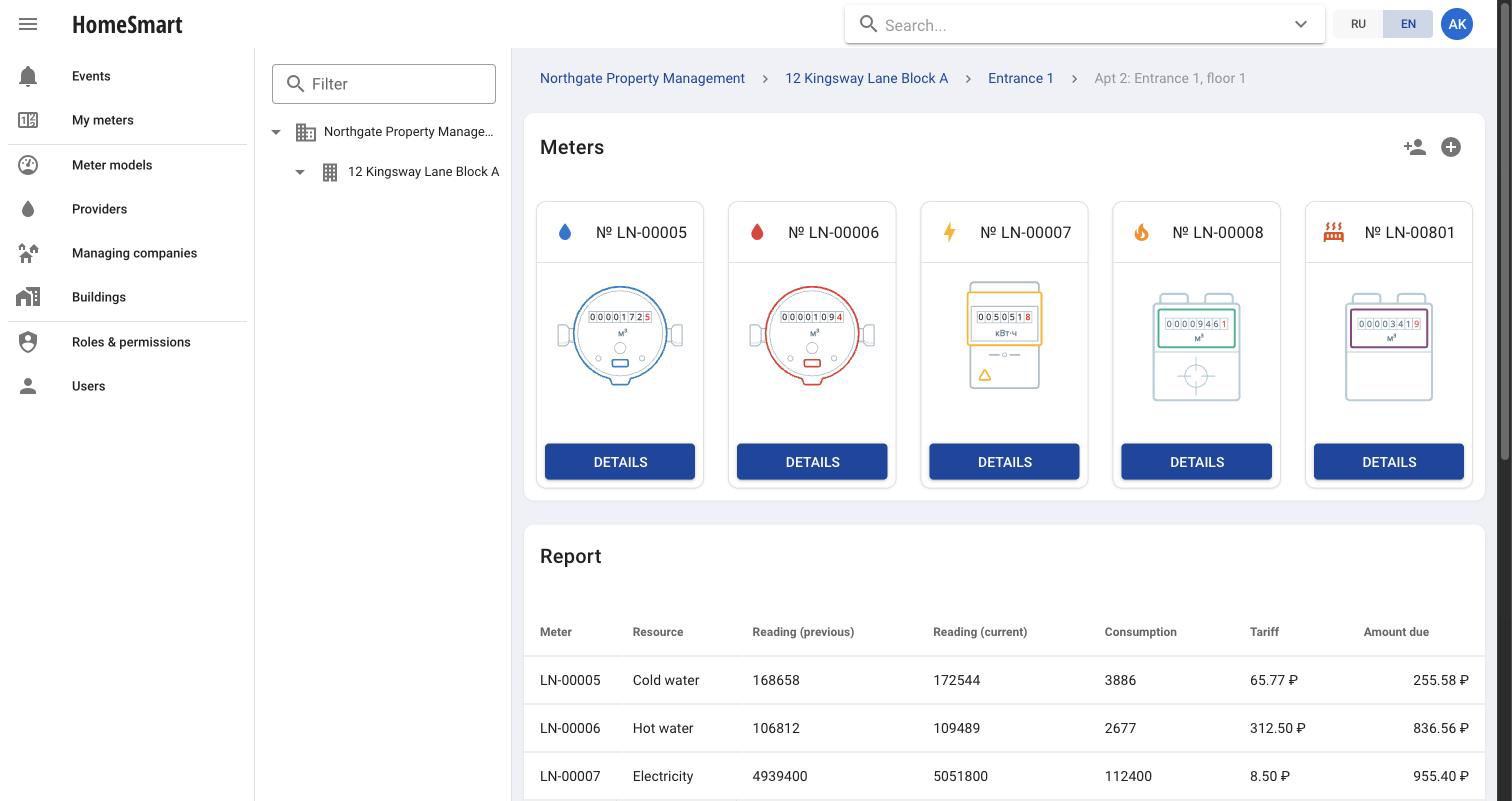
Managing-company operator screen for one account: five resource meters plus a billing report with real tariffs applied

Built for every role in the chain

Subscriber

A resident sees live consumption for their apartment, a reading history by resource, and the resulting bill, from any device via the PWA.

Managing-company operator

Manages buildings, accounts and meters for the company’s whole portfolio, edits tariffs, and reviews consumption and billing across every object.

Administrator

Configures managing companies, resource providers, meter models and permissions platform-wide, and monitors the health of the metering pipeline.

Watcher

A read-only role for stakeholders who need visibility into consumption and billing without the ability to change anything.

Engineer

A technical role with access to system logs, for diagnosing metering and connectivity issues in the field.

Provider

A resource-supplying organization sees only the buildings it actually supplies, and only the resources it provides.

A dashboard that scales from one apartment to a whole portfolio
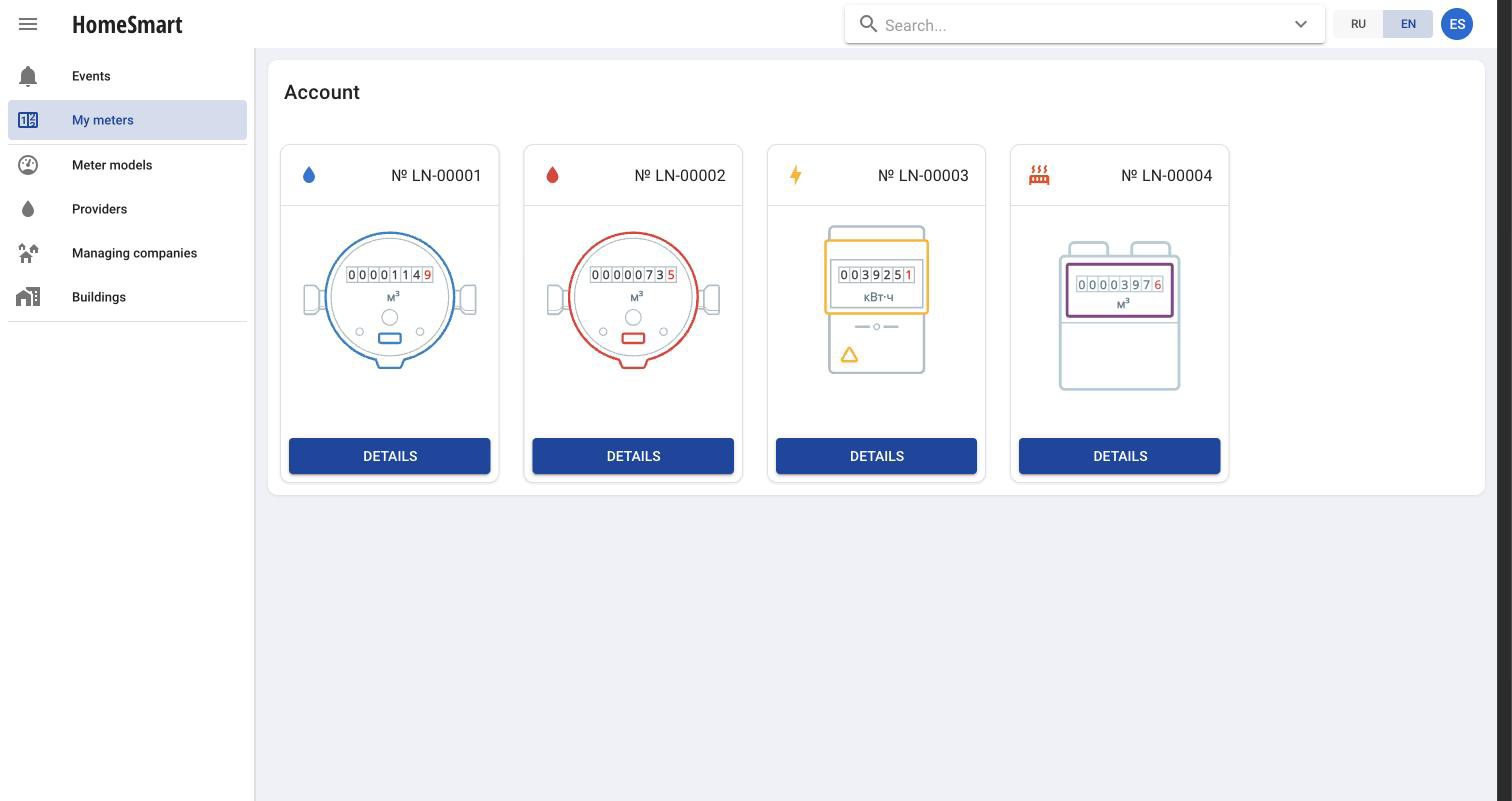
Subscriber dashboard showing four meter cards — cold water, hot water, electricity and heat — each with a live reading
Subscriber: every meter in the apartment, on one screen
Managing-company operator screen for one account: five resource meters plus a billing report with real tariffs applied
Operator: readings, tariffs and the billing report for one account
  • Progressive Web App that installs on the home screen and works like a native app, for subscribers and operators alike
  • Live events screen that refreshes automatically every 60 seconds, filterable by company and provider
  • Detailed per-meter statistics for any period, with consumption charts alongside the raw numbers
  • Cross-entity search across companies, buildings, accounts and meters
  • Dedicated detail pages for companies, buildings, locations, accounts and counters
  • Batch tariff and permission management for managing-company operators

Every screen, walked through
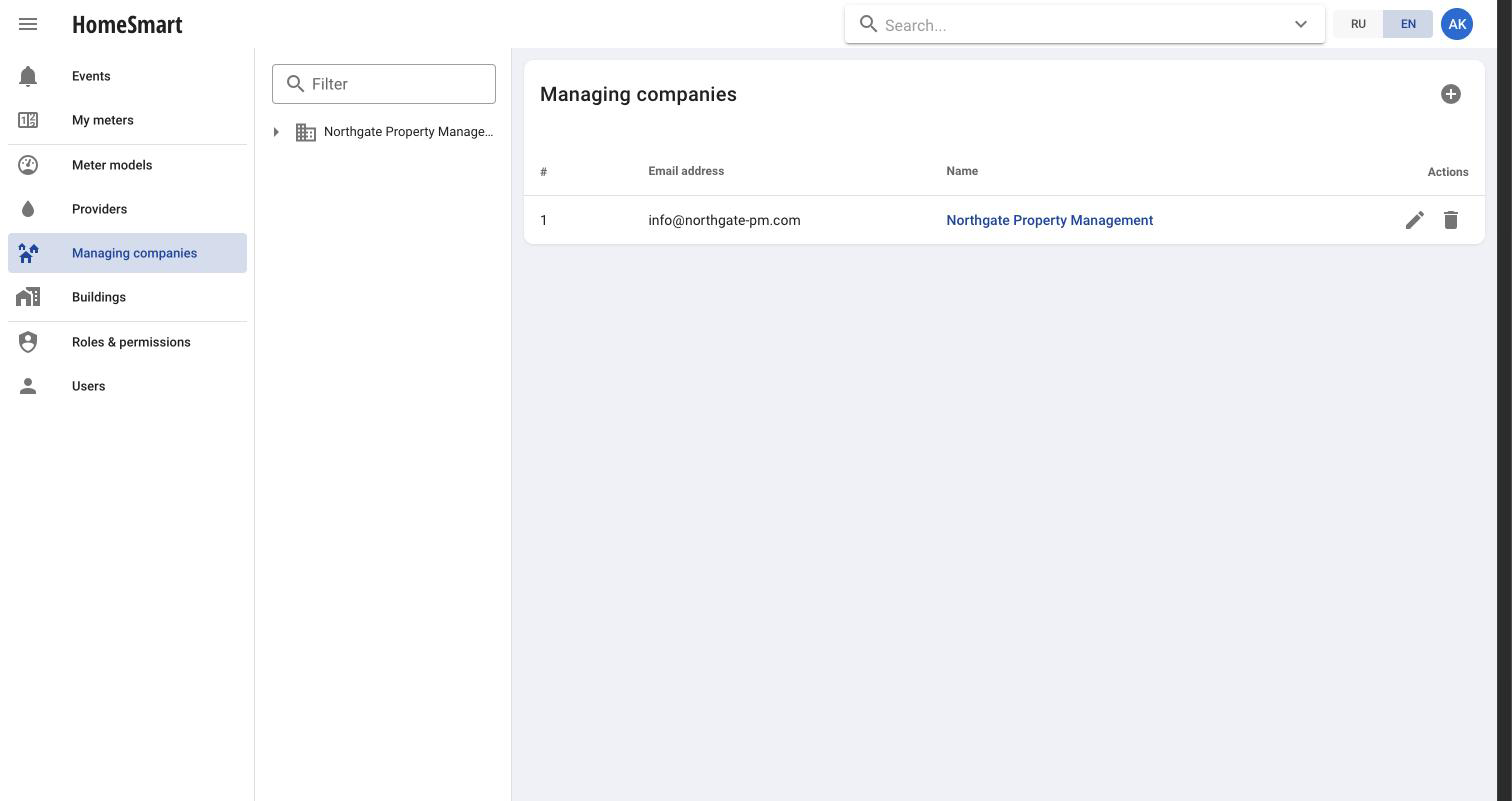
Managing companies registry, listing each company with its contact email
Managing companies — the top level of the portfolio
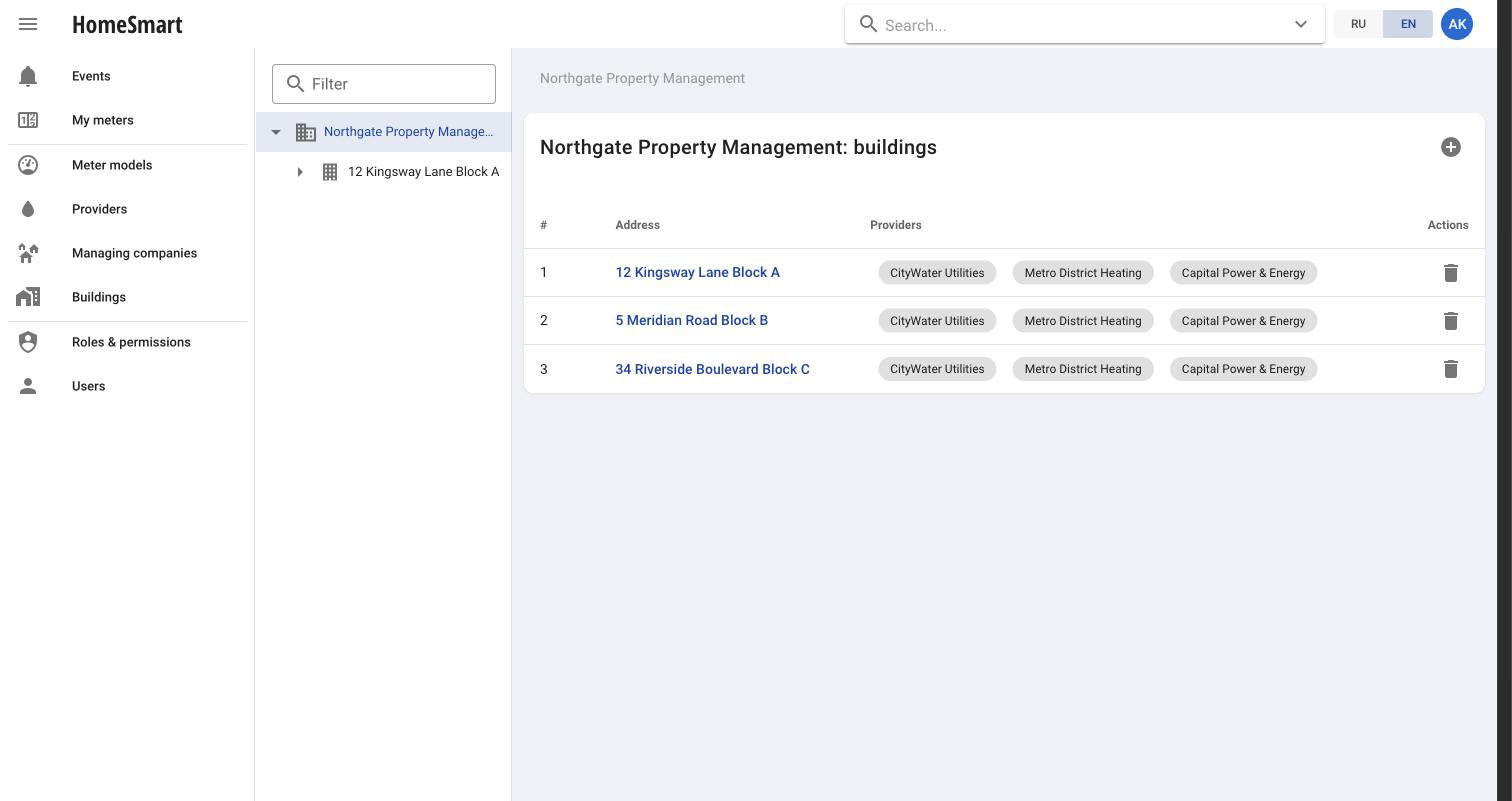
Buildings belonging to one managing company, each row showing the resource providers connected to it
A company’s buildings, with their connected providers
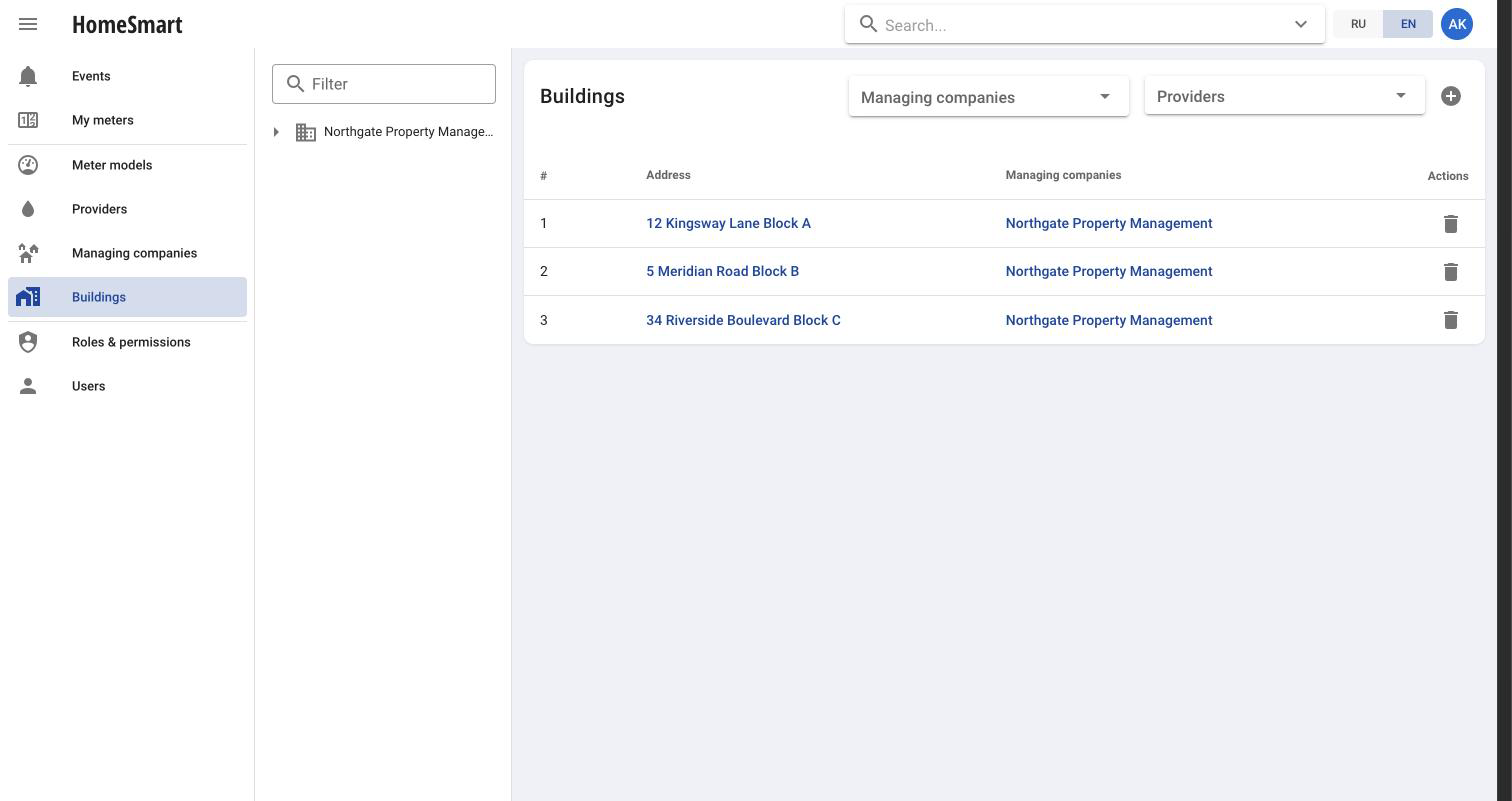
Global buildings registry across all managing companies, filterable by company and provider
All buildings platform-wide, filterable by company or provider
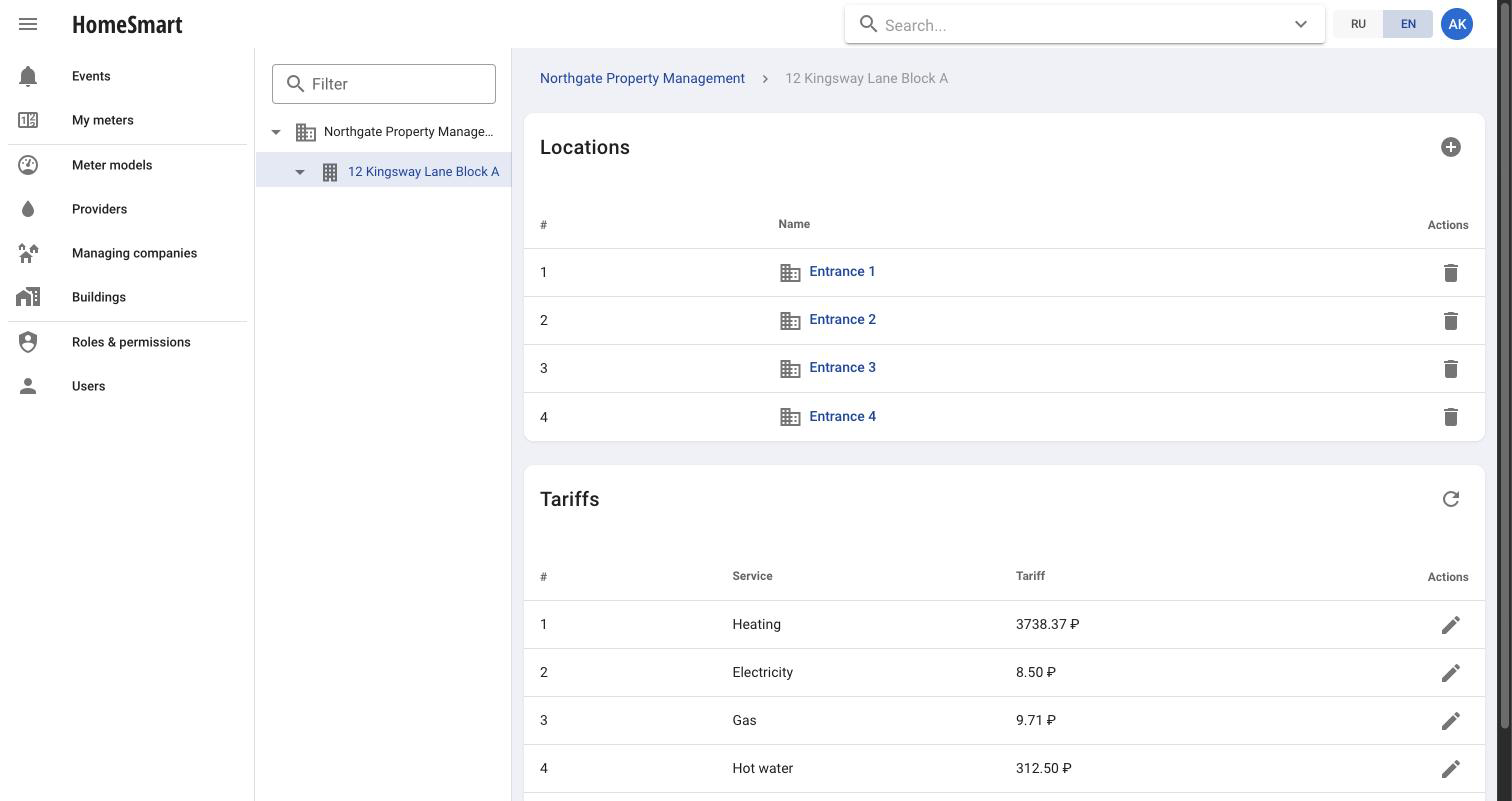
One building’s entrances and its tariff table for cold water, hot water, gas, electricity and heat
A building’s entrances and its tariff table, side by side
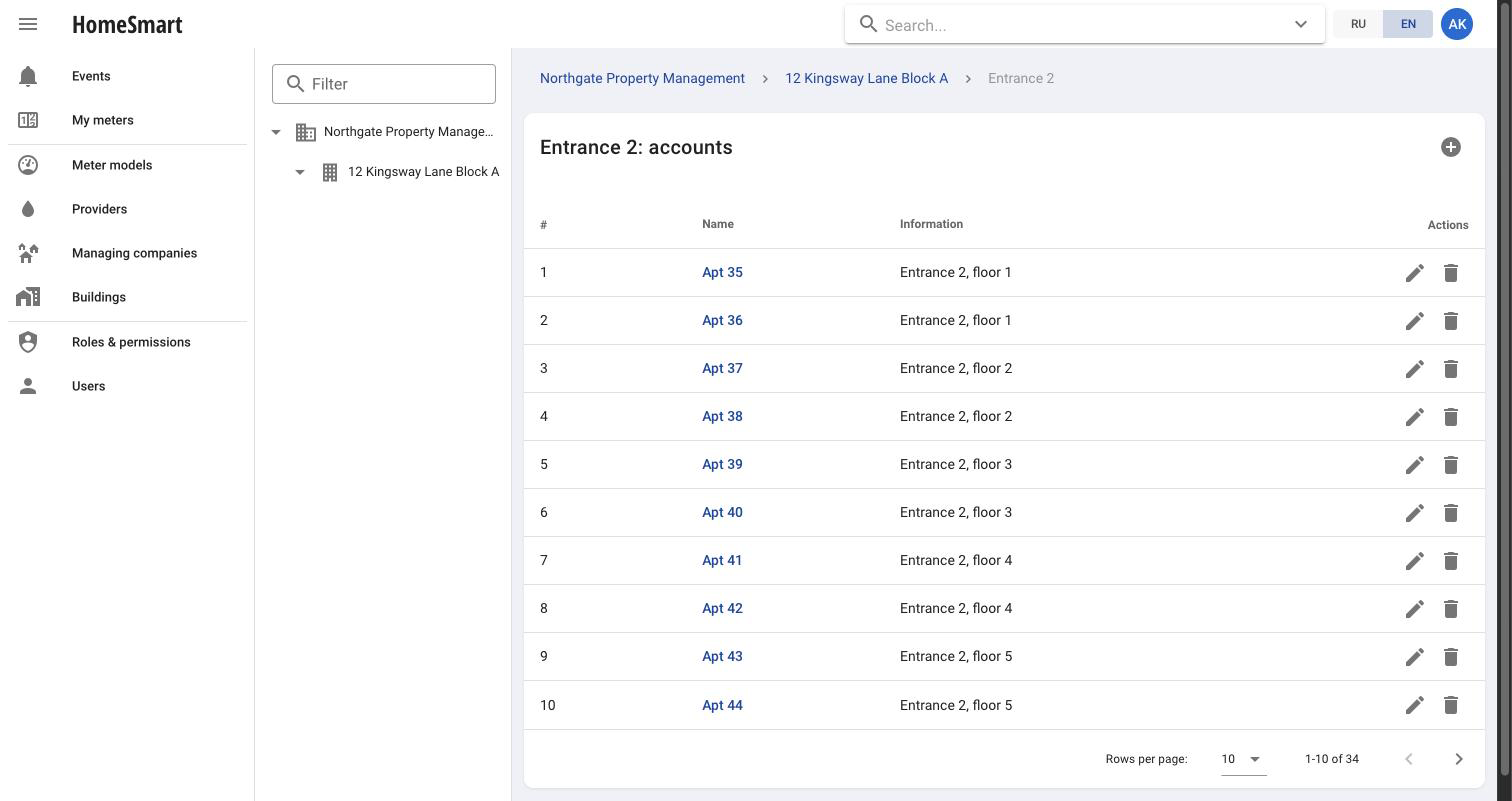
List of apartment accounts within one entrance, with floor information for each
Every apartment in an entrance, with its floor
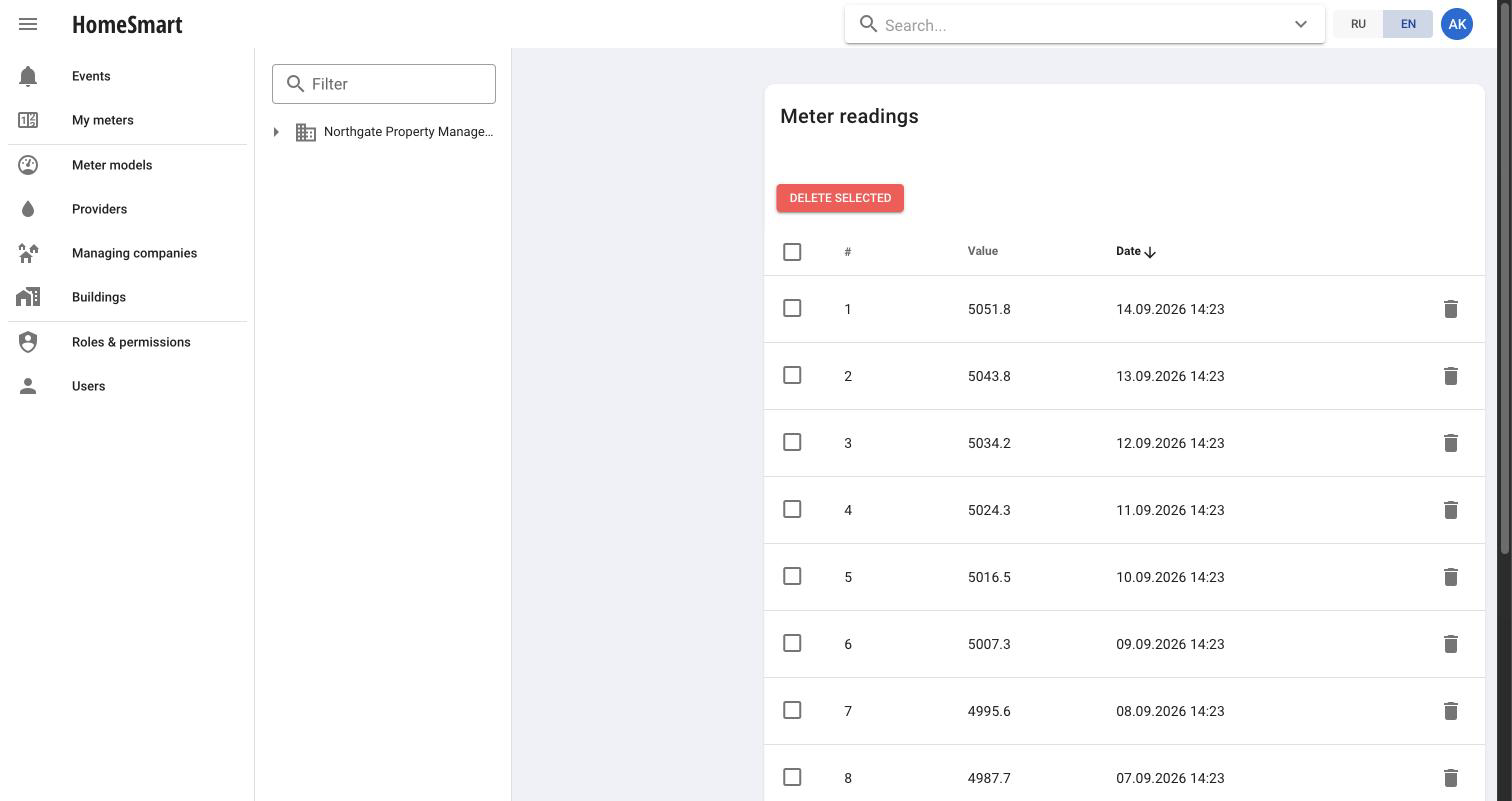
Single meter detail page showing its model, serial number and a deletable reading history table
One meter’s full reading history, not just the latest value
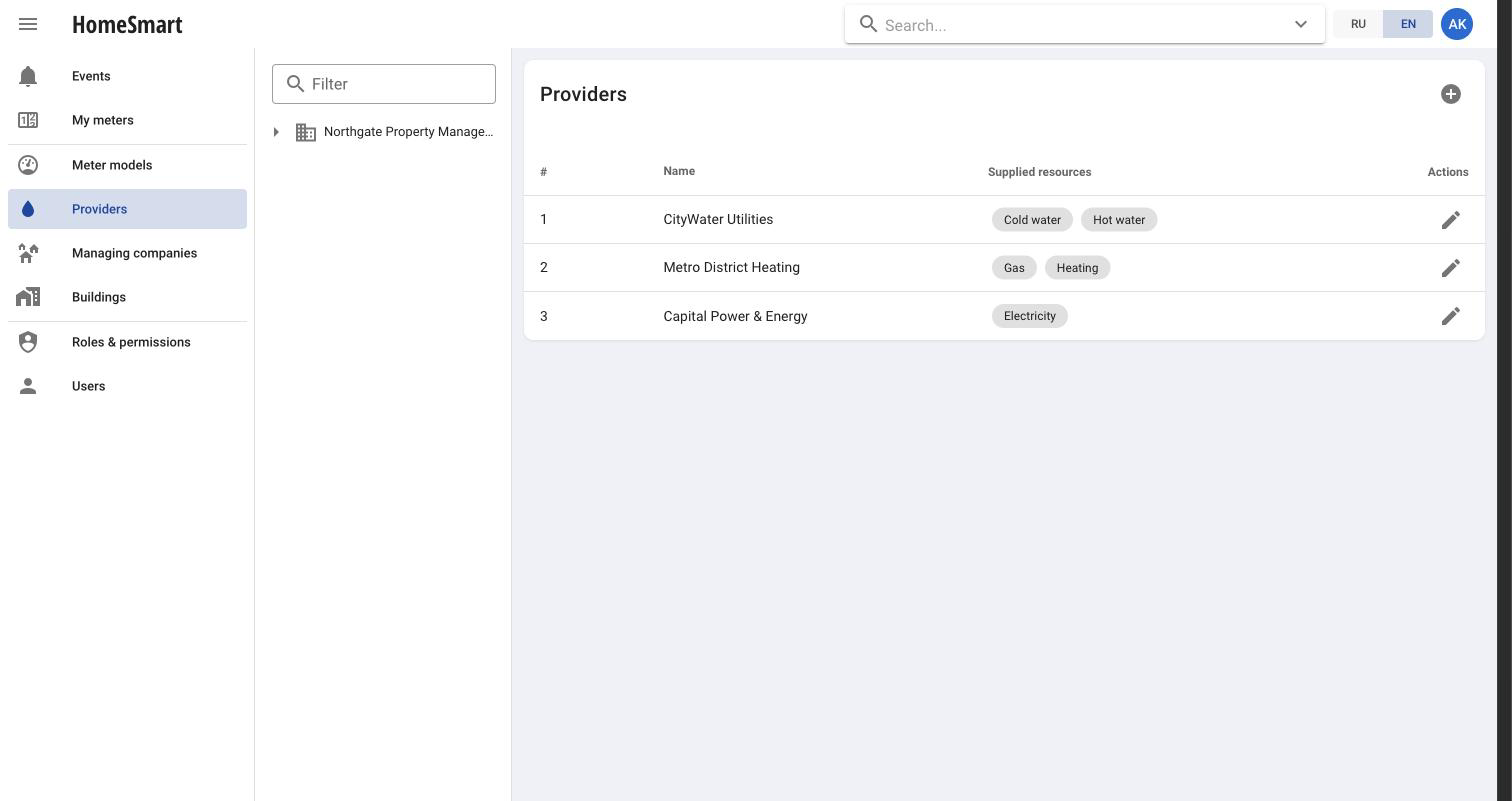
Resource providers registry, each with the resources it supplies
Resource providers and what each one actually supplies
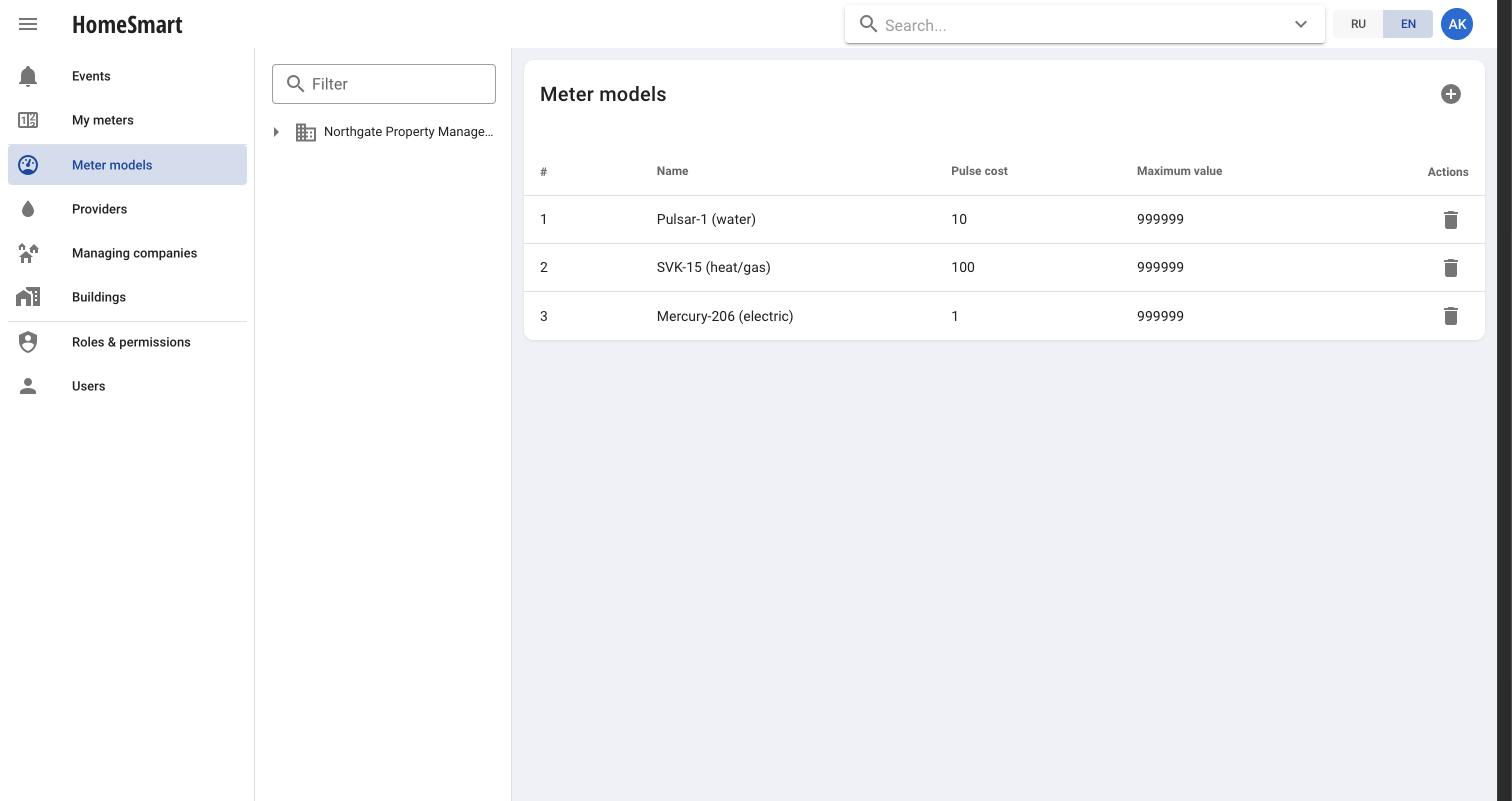
Meter model catalog with pulse cost and maximum value for each model
Meter models, with pulse cost and value limits defined once
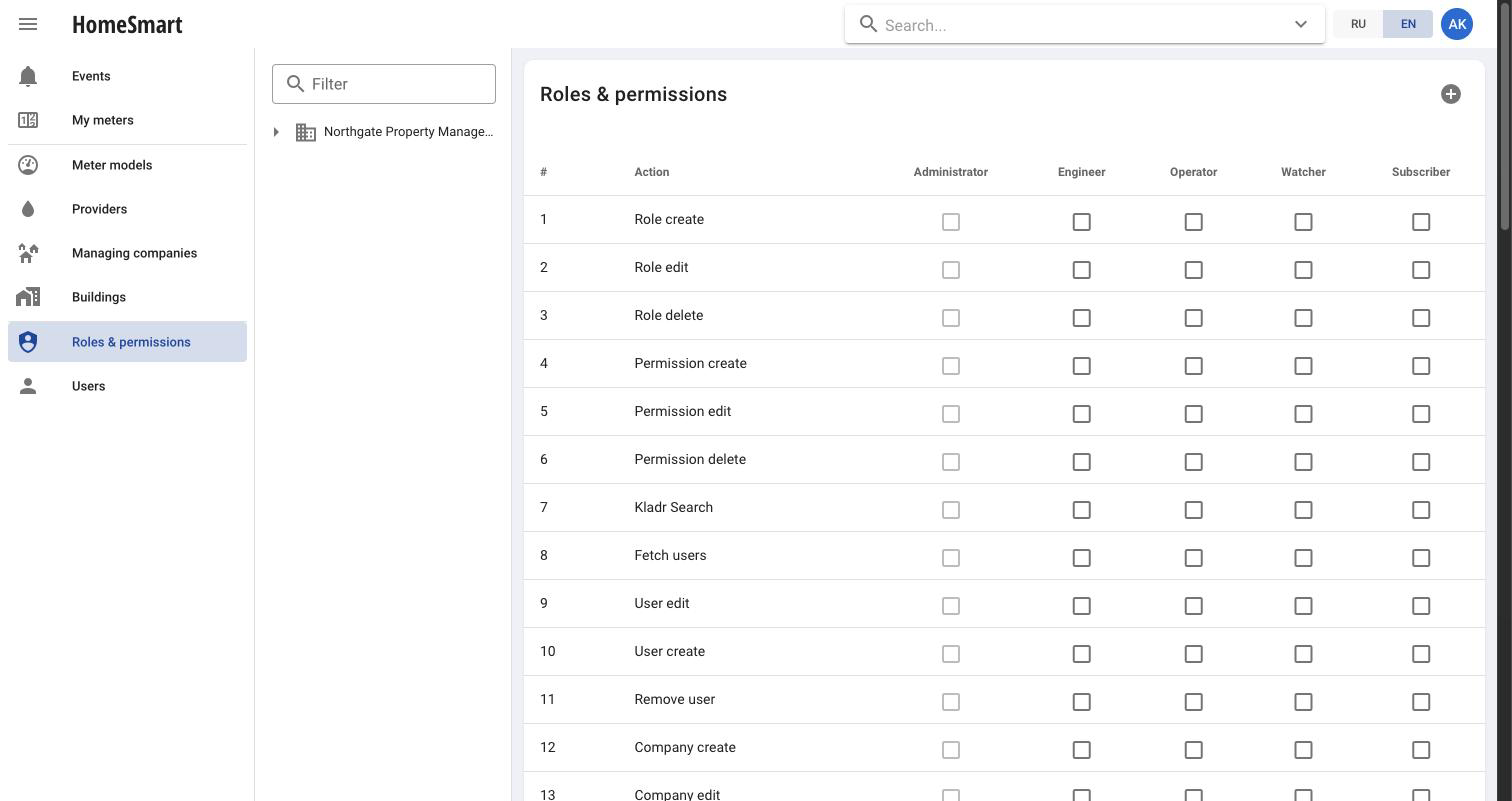
Roles and permissions matrix: rows are actions, columns are roles, checkboxes grant or revoke access
Every action, every role, one matrix
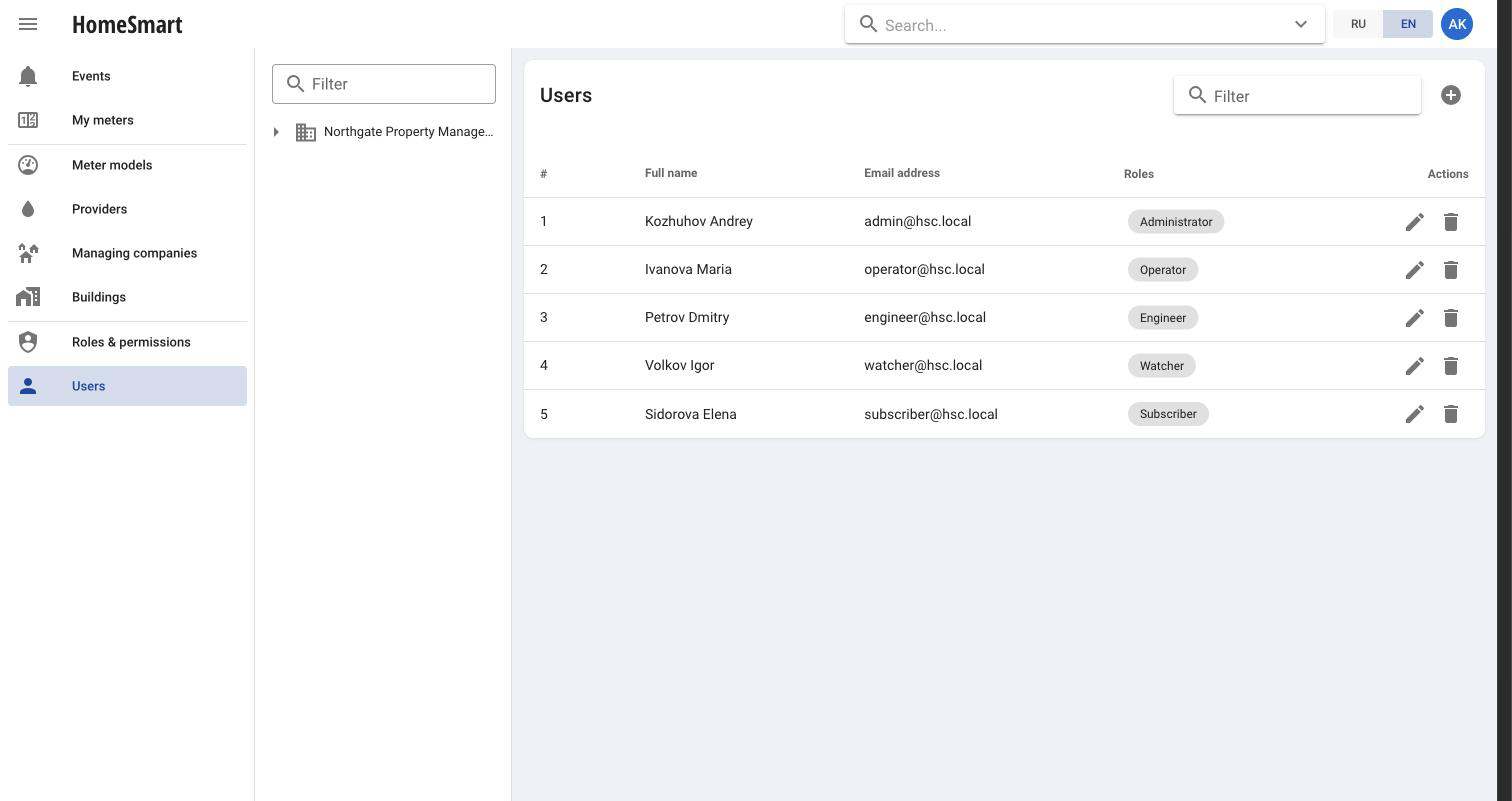
User management screen listing each user with their role and email
Users and the role each one holds

A data model that mirrors how utilities work

Managing companies

A managing company groups the users, buildings and resources it is responsible for, from a full-service HOA to a single-resource supplier.

Buildings & accounts

Buildings hold locations and link to companies; accounts represent individual apartments, each with its own meters and reports.

Resources & meters

Hot water, cold water, electricity, heat and gas are modeled as resources, linked to meter models, tariffs and the companies that supply them.

Tariffs & providers

Tariffs attach to an account or fall back to the building tariff; providers see only the objects they supply, keeping billing scoped correctly.

Billing reports

A report is generated per meter within an account: it multiplies the reading delta for the period by the resource tariff, and flags any period with fewer than two readings instead of guessing.

Address lookup

Adding a building looks up the official Russian address registry as you type, instead of relying on free-text entry that billing and reporting choke on later.

Missed-reading detection

Every meter carries a check interval. One that goes quiet past its interval is flagged as overdue instead of silently reporting nothing.

Multi-company access

A single user account can hold roles across several managing companies at once, without separate logins for each.

Permissions down to the individual action

Every capability in the dashboard, from viewing a building to editing a tariff, is a named permission that can be granted or revoked per role. Roles are fully custom: create, rename or delete them, and some system roles are protected from deletion to keep the platform safe to administer.

  • JWT-based authentication with bcrypt-hashed passwords
  • More than 50 permission-gated actions across the API, from address lookup to billing reports
  • A dedicated audit log for tracing who did what

Integrate with the HTTP API

A documented HTTP API backs every capability in the dashboard, so managing companies and third-party billing systems can integrate directly. Responses and error messages are localized in Russian and English at the API level, not just in the browser.

Open the Swagger documentation (opens in new tab)

Want a walkthrough of the dashboard?

We can show you the operator and subscriber experience end to end.

Request a demo